Spot your universe errors before CMS flags them.
Runs entirely in your browser. Your universe file is never uploaded to UniVerify.
Drop in your ODAG, CDAG, FA, SNPCC, or CPE file and every row gets checked against the CMS record layout. Every flag names the exact table, row, and column, so you know exactly what to fix before you submit.
Five universes, one pass.
One rules engine, kept current with CMS's published layouts, not five different tools that half-cover the audit.
Three tries. Then it’s a different kind of finding.
A submission gets three attempts to match the layout. Miss all three and it stops being a formatting note, it becomes an Invalid Data Submission, a finding of its own, separate from whatever the file was actually reporting. UniVerify’s only job is making sure a column width or a date format never costs you one of those three tries.
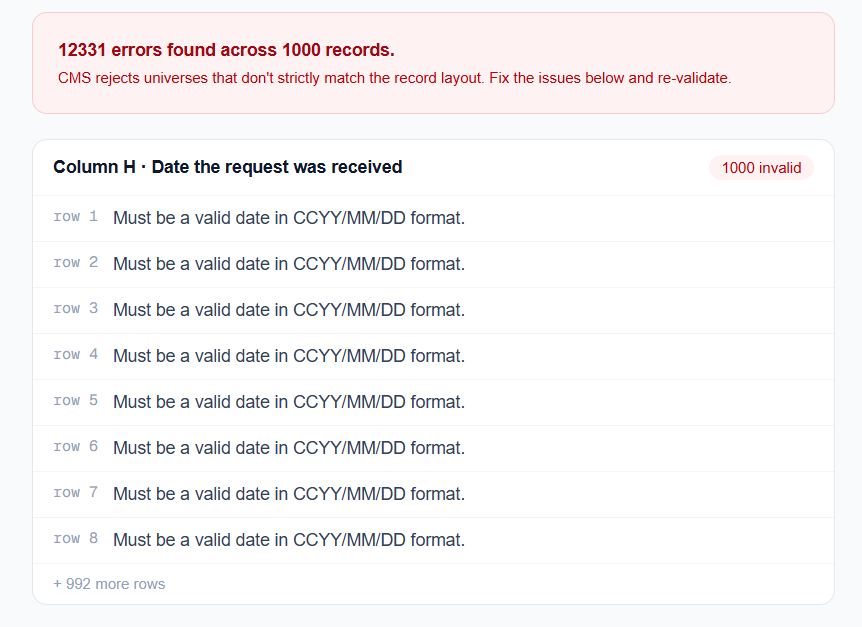
See exactly which row, which column.
Every flag names the table, the row, and the rule it broke. No guessing which field CMS meant.
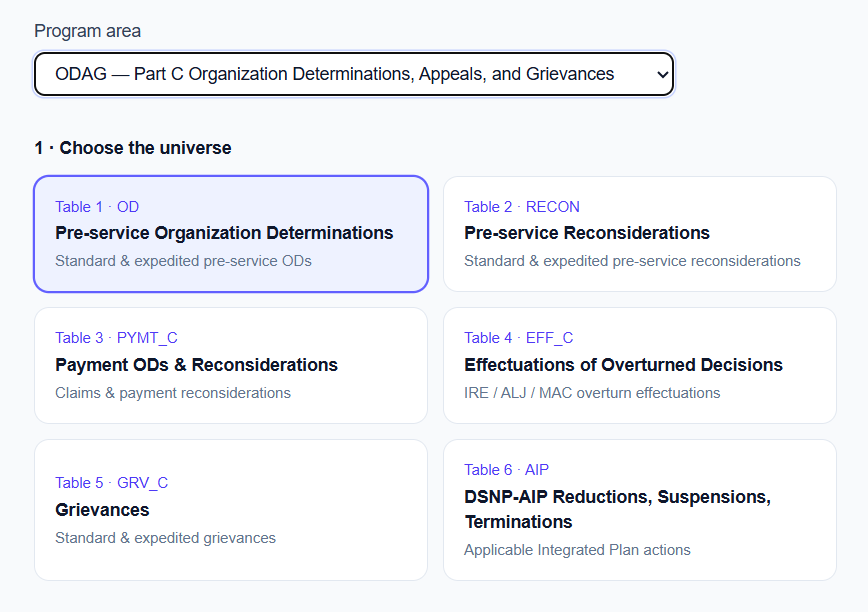
Choose your universe, not ours.
Six tables inside ODAG. A different seven inside CDAG. Pick the one you’re submitting and validate against that exact layout.
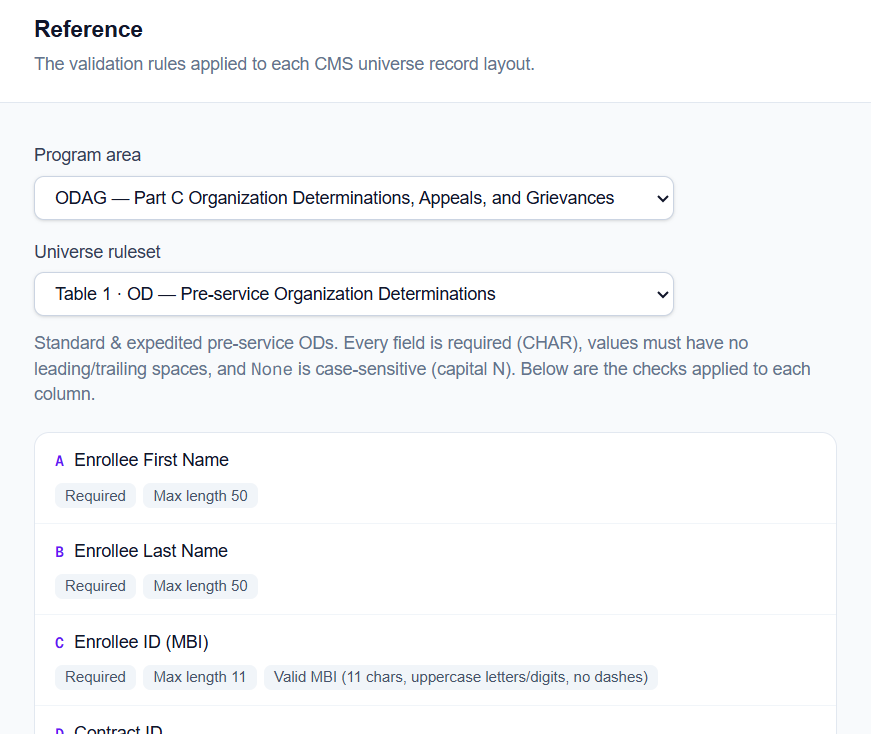
No black-box validation.
Every rule UniVerify applies is visible on the Reference page: column by column, for each universe. See exactly what’s allowed before you build your extract, not just after a scan flags it.
Where your data goes: nowhere.
Most tools in this category ask you to upload your universe file to their platform. UniVerify doesn’t have a place to put it. File contents never leave your browser. What gets saved to your history is a non-PHI summary: counts, row numbers, column letters, rule codes, and the file name you chose, so your history stays recognizable. Never names, MBIs, medical text, or any cell value. Keep PHI out of your file names.
See it for yourself, on your own file.
Keep the audit trail. Not the PHI.
Every validation is saved automatically: file name, universe, record count, and result. Reopen any run’s full error detail weeks later, useful for showing a manager what got fixed or handing off to a consultant. Only rule codes are stored, never cell values, so the detail view is safe to share. Keep PHI out of your file names, that’s the one thing that does get saved.
Built for how a rejection actually happens.
Try it against your next submission.
Request a demoBuilt around who actually opens the file.
MA & Part D plans
Catch the layout errors before your submission window closes, not after CMS opens the file.
Compliance teams
Stop finding out you were forty columns off from a rejection email. See it before you submit.
Consultants & vendors
Run every client's file against the same spec, and hand back exactly which row and rule failed instead of a vague note to fix and resend. No PHI held that you're not contracted to see.
How a scan works.
Choose your universe
ODAG, CDAG, FA, SNPCC, or CPE. Pick the layout to check against.
Drop the file
Validation runs locally, in your browser tab. Nothing is transmitted.
Get the fix list
Every row, every column, every rule it broke, ready to correct.
Before you drop in a file, ask these.
Stop finding out from CMS.
Run your next universe file through UniVerify before you submit it.